Standard

Inline action menu

Select content, get AI verbs scoped to that selection — rewrite, explain, extend, translate.

Help centerBilling / Draft Edited by Maya Reyes · 10 min ago

Refunds for duplicate charges

If you see two identical charges on your statement, the second one is usually a pre-authorization hold that your bank has not released yet. In the majority of cases this hold will be automatically removed by the issuer within a period of approximately three to five business days, and no action is required on your part. If both charges are still there after five business days, contact us and we will refund the duplicate invoice amount.

To speed things up, include both invoice numbers and the last four digits of the card that was charged. Refunds go back to the original payment method, and we cannot send them to a different card or bank account.
Try it: Select a single word, then a sentence, or grab a paragraph by its ⋮⋮ handle. The verbs change with what you selected; pick one to preview the edit in place.

In the wild

How 2 products ship this pattern. Click a screenshot to enlarge it.

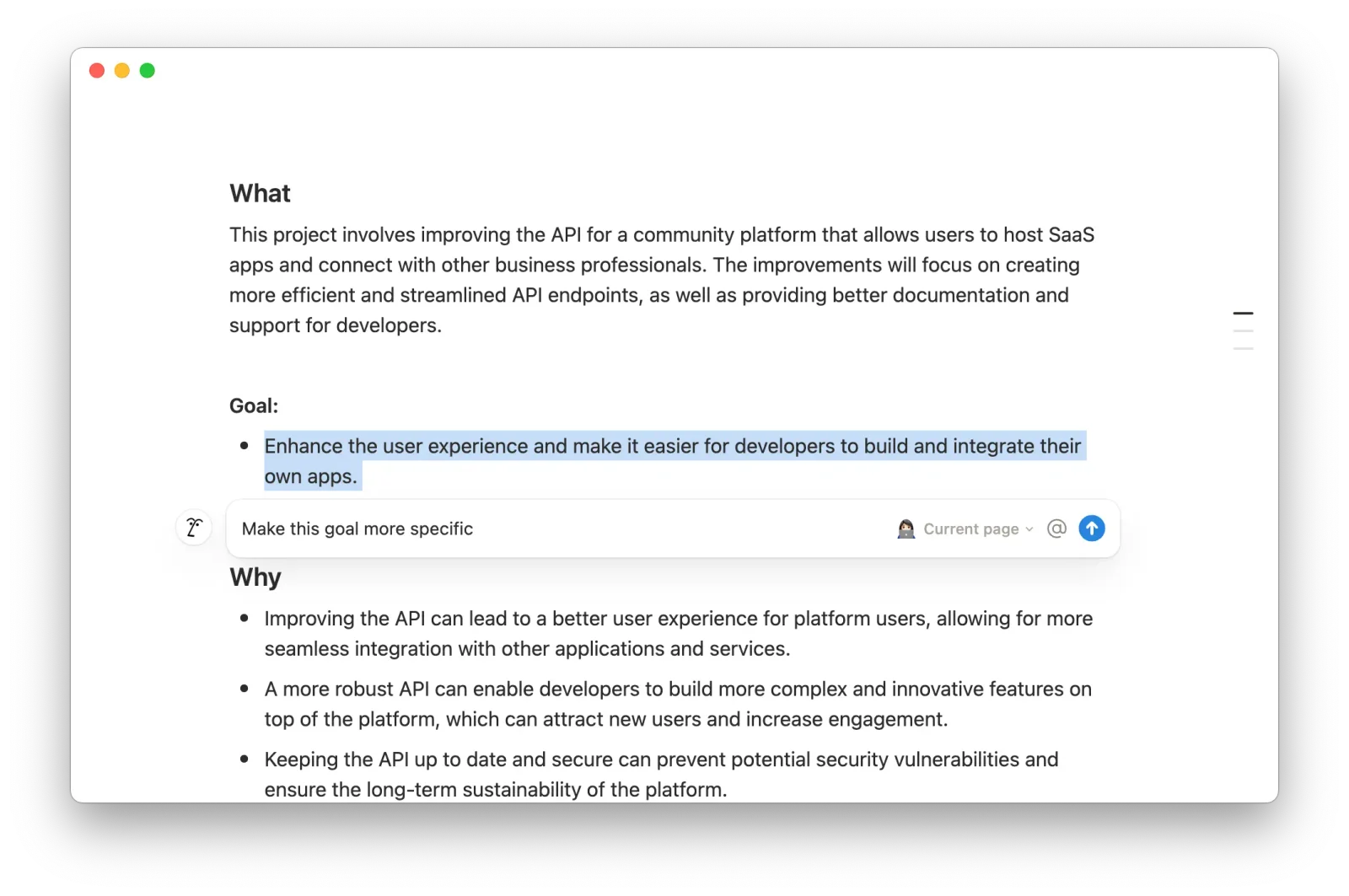
Notion page with a highlighted goal bullet and an inline Notion AI prompt directly below it reading 'Make this goal more specific', scoped to the current page
Notion AI
In Notion, selecting text opens an AI prompt right under the selection, so your instruction applies only to the highlighted text.
Source: Notion Help ↗
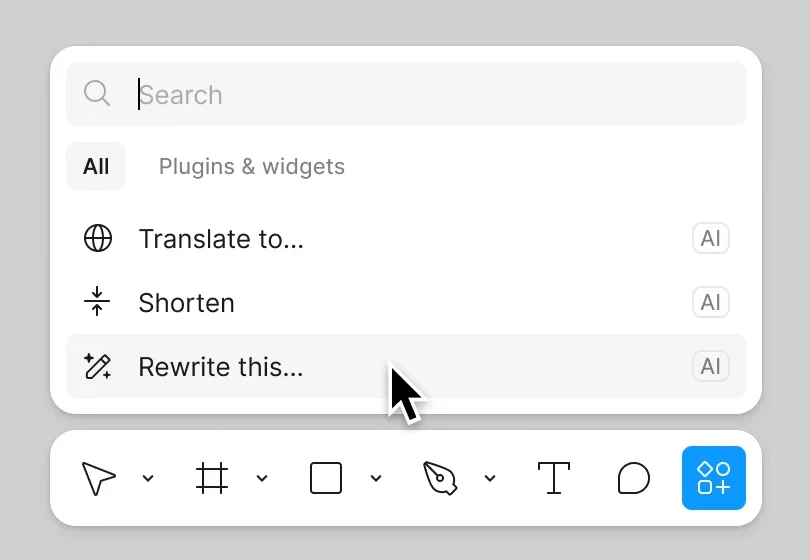
Figma actions menu above the toolbar listing AI-tagged options Translate to, Shorten, and Rewrite this, with the cursor on Rewrite this
Figma
With a text layer selected, Figma's actions menu offers AI options (translate, shorten, rewrite) that act only on that layer.
Source: Figma Learn ↗

When to use

Document, code and canvas editors where the object of the action is whatever is highlighted.

Seen in

Notion selection menu, Google Docs Help me write, Cursor Cmd-K, Figma text actions.

For engineers

Pass the selection plus surrounding context; users expect awareness of the paragraph, not just the span.

Build prompt

A neutral, component-only prompt for a coding agent. Edit the stack block or anything else to fit your project, then copy it.

Download this prompt as Markdown, or every prompt as JSON for an agent.

Critique checklist for inputs

0 of 4 checked

These questions apply to every pattern in this family. Ticks are saved in this browser.