Silent enrichment with reveal
AI-added fields and tags applied automatically, marked so users can see and undo the machine's edit.
In the wild
How 2 products ship this pattern. Click a screenshot to enlarge it.
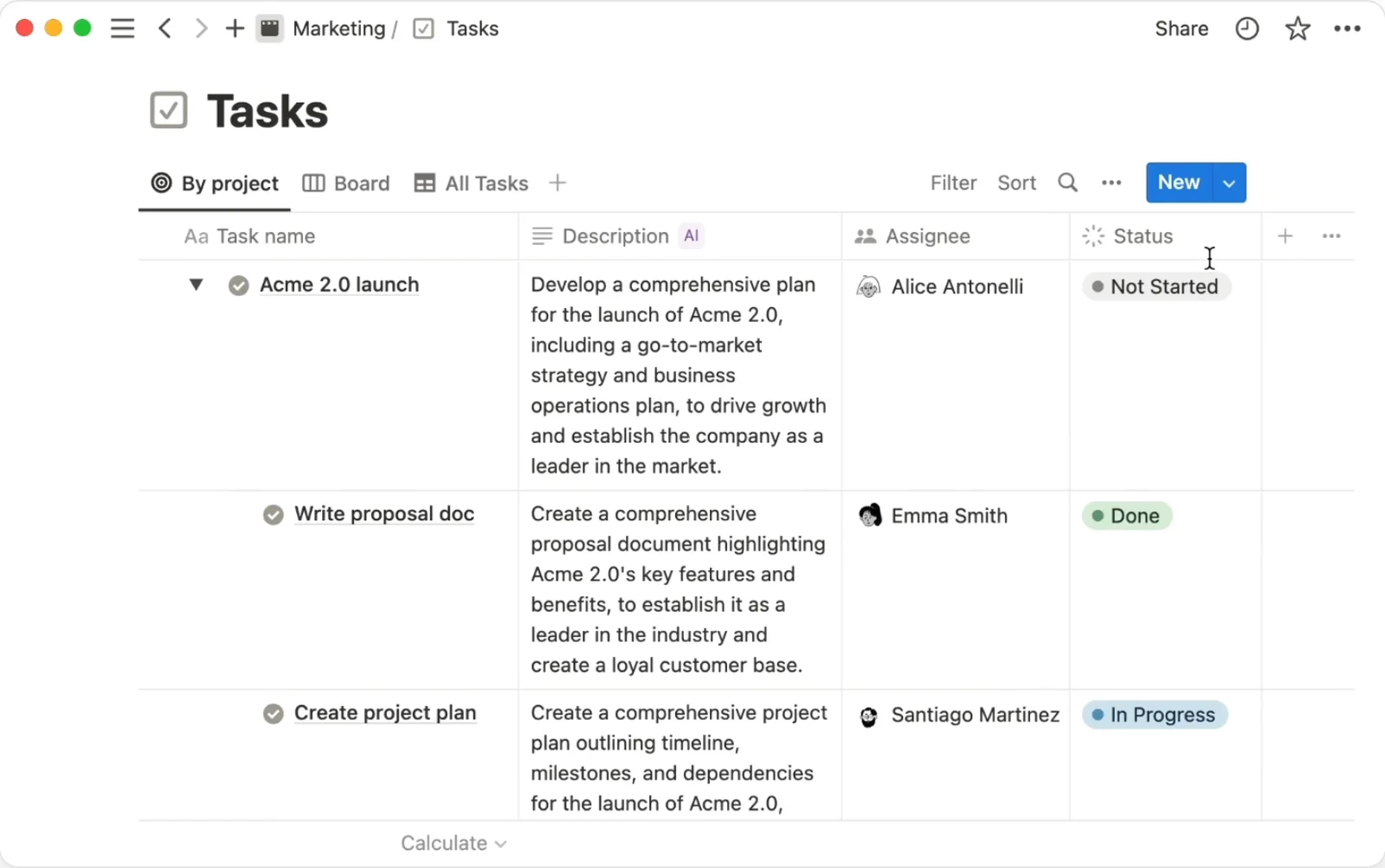
Notion AI
An AI autofill property writes values into every row and refreshes on page edits; the column header's AI badge marks which data the machine wrote.
Source: Notion Help Center (video) ↗
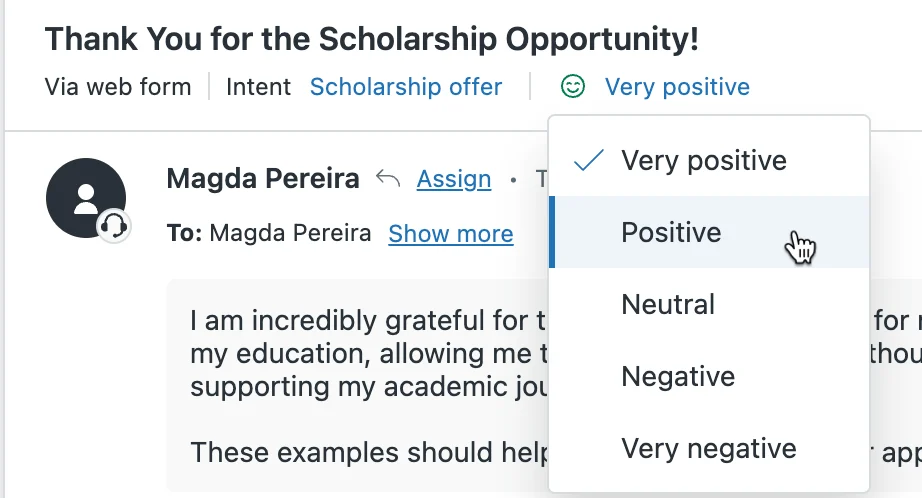
Zendesk
Intelligent triage stamps intent and sentiment on new tickets automatically; agents see the values in the ticket header and can override them from a dropdown.
Source: Zendesk help center ↗
When to use
Data entry, CRM hygiene, tagging and triage where the win is nobody having to ask.
Seen in
Salesforce Einstein field updates, Attio enrichment, Notion AI autofill columns.
For engineers
Store provenance per field with the source and timestamp; never overwrite human values without a diff.
Build prompt
A neutral, component-only prompt for a coding agent. Edit the stack block or anything else to fit your project, then copy it.
Download this prompt as Markdown, or every prompt as JSON for an agent.
Critique checklist for dark matter
0 of 4 checked
These questions apply to every pattern in this family. Ticks are saved in this browser.