Reference token layering
Typed @-mentions that pin exact objects — files, people, tickets, tables — into the prompt as structured references.
Prep a renewal brief for Northfield Dental using Q3 retention review and flag anything still open in
Milky will read exactly 2 records
In the wild
How 2 products ship this pattern. Click a screenshot to enlarge it.
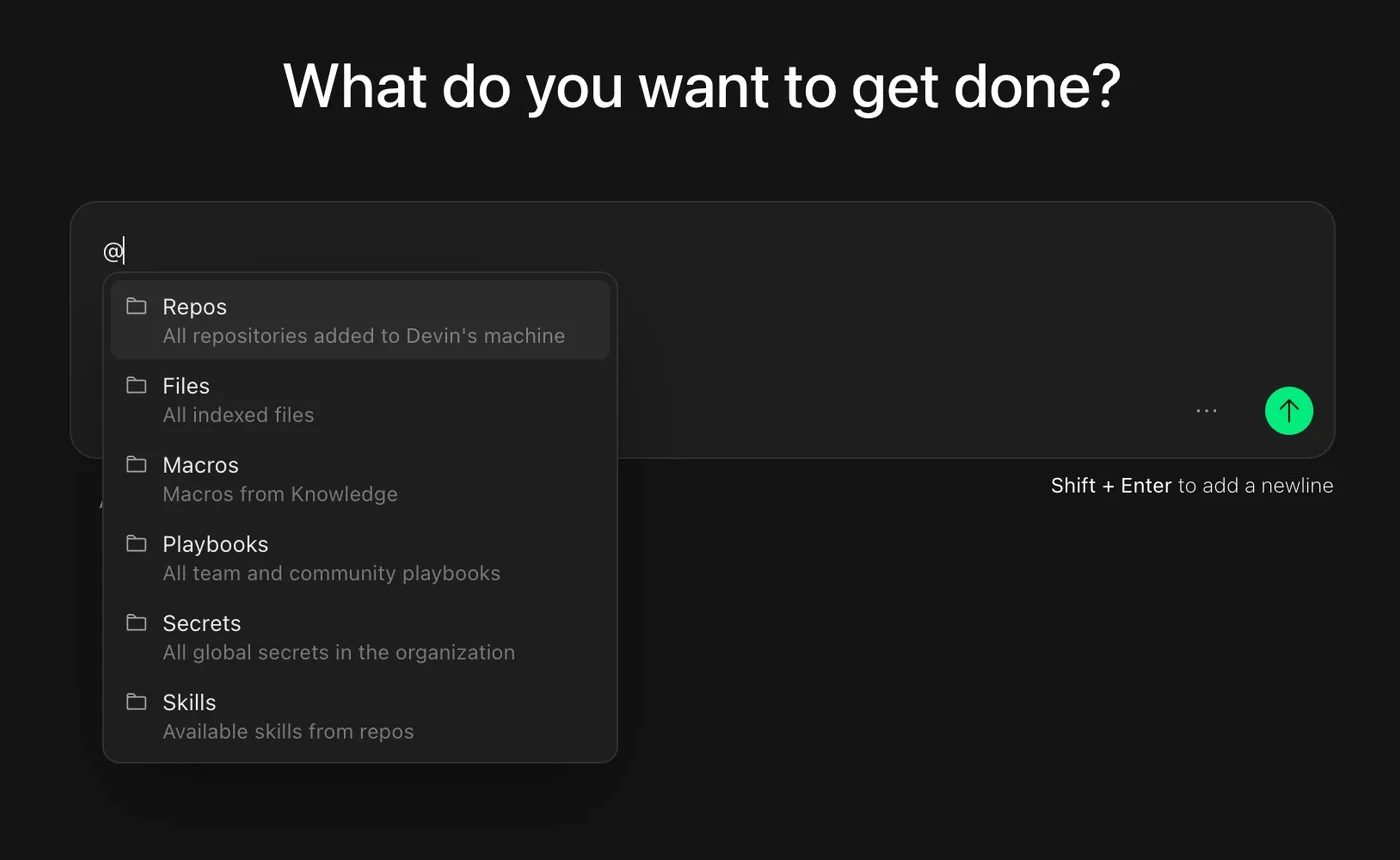
Devin
Typing @ in Devin opens typed reference categories (repos, files, playbooks, secrets, skills) so you can pin exact objects into the request.
Source: Devin docs ↗
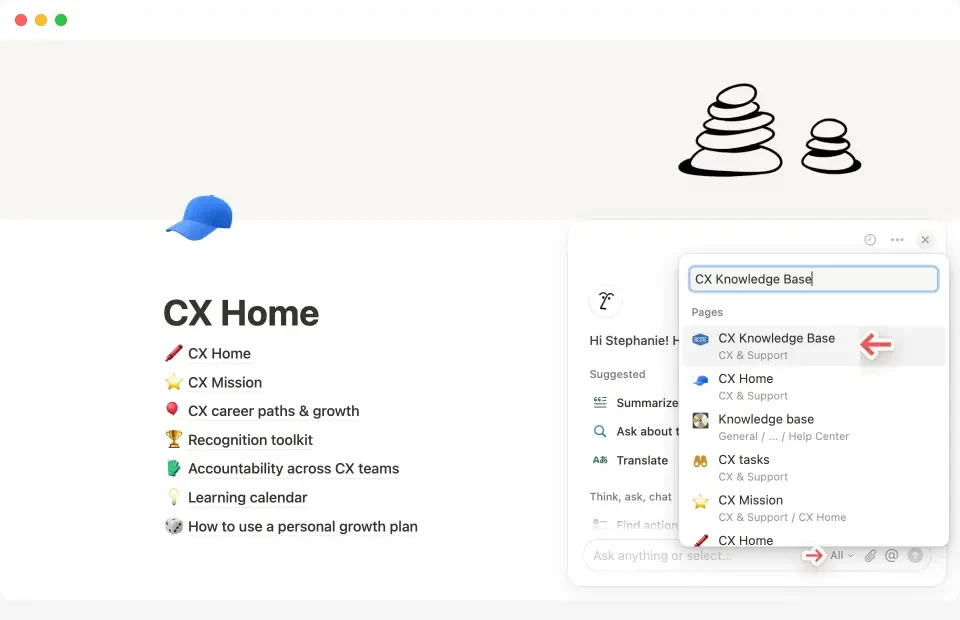
Notion AI
Notion AI's source picker lets you search for and pin a specific page or connected app as the reference for a question.
Source: Notion Help ↗
When to use
Products with a real object graph, where precision beats prose.
Seen in
Cursor @file and @docs, Claude Code file refs, Notion AI @page, Linear @issue.
For engineers
Resolve tokens to stable IDs at send time and render the resolved set back to the user.
Build prompt
A neutral, component-only prompt for a coding agent. Edit the stack block or anything else to fit your project, then copy it.
Download this prompt as Markdown, or every prompt as JSON for an agent.
Critique checklist for inputs
0 of 4 checked
These questions apply to every pattern in this family. Ticks are saved in this browser.