Scoped region edit
Constrain generation to a selected region, layer, or range so the rest is guaranteed untouched.
Selection
- Changed
- Outside it
- 0 pixels changed · identical to v2
In the wild
How 2 products ship this pattern. Click a screenshot to enlarge it.
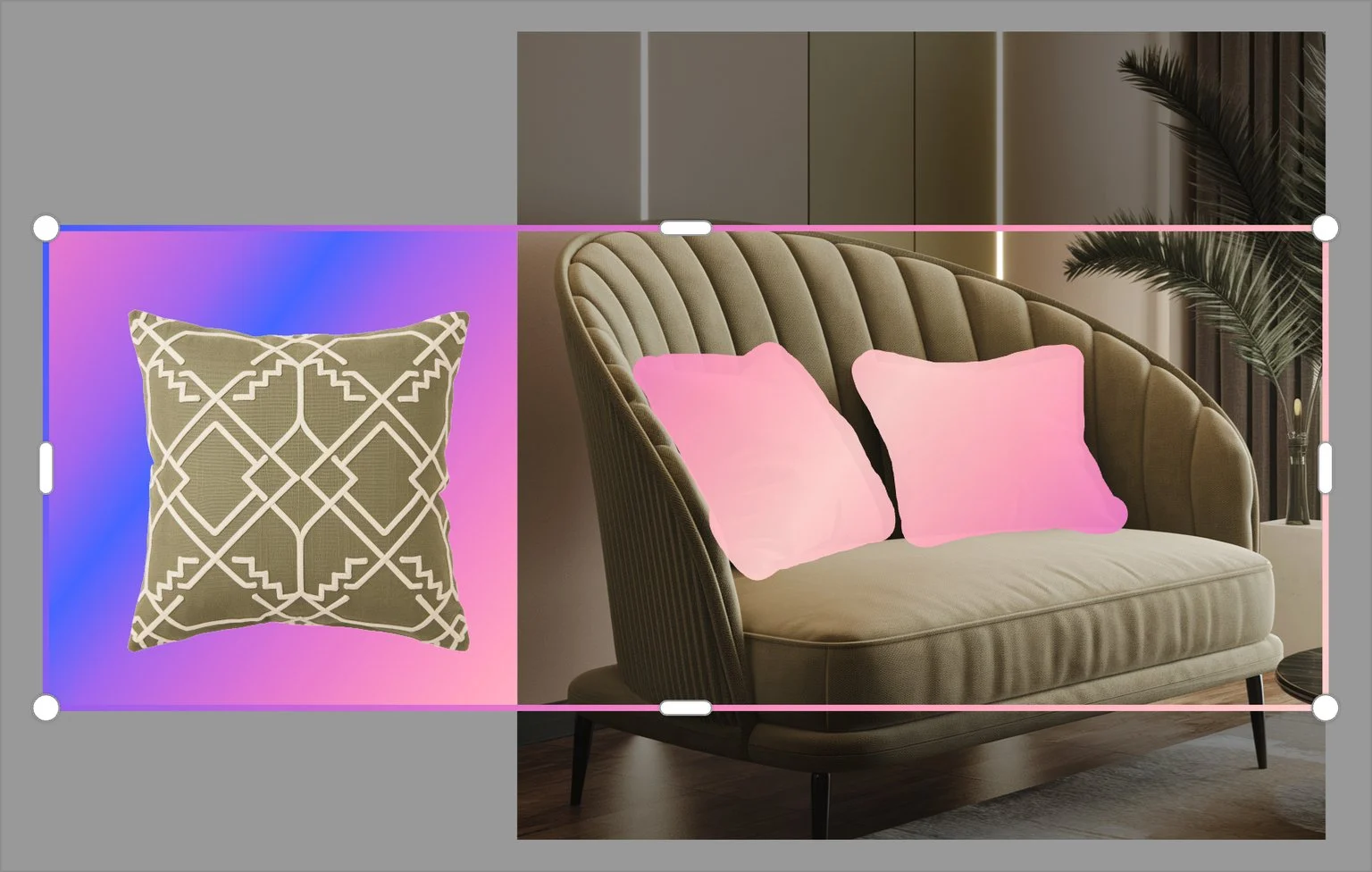
Ideogram
Magic Fill regenerates only the pink-masked pillows. A separate generation window sets how much surrounding context the model sees, and the rest of the image stays as it was.
Source: Ideogram docs ↗
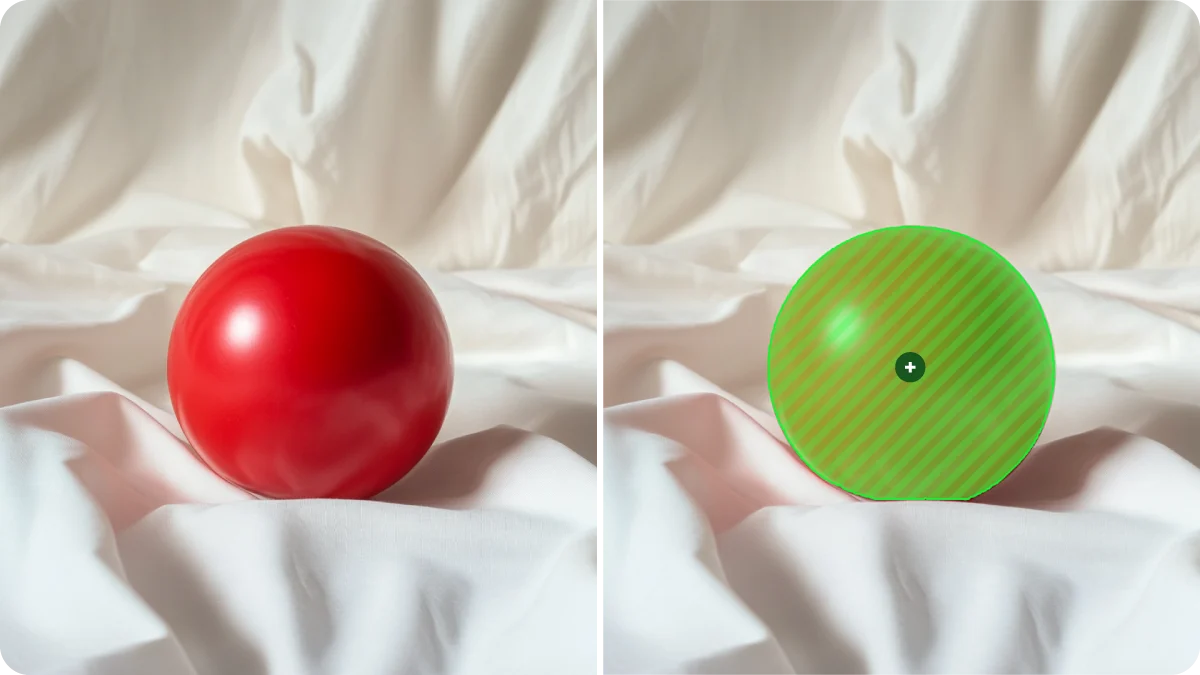
Midjourney
In the Editor, a smart selection masks just the object to change. Only the masked area is regenerated, and the fabric around it is left alone.
Source: Midjourney docs ↗
When to use
Image, video, code and document editing where the user has already accepted most of the output.
Seen in
Photoshop Generative Fill, Firefly inpainting, Runway motion brush, Cursor selection edit.
For engineers
Composite the patch client-side over the original; keep the untouched pixels or tokens byte-identical.
Build prompt
A neutral, component-only prompt for a coding agent. Edit the stack block or anything else to fit your project, then copy it.
Download this prompt as Markdown, or every prompt as JSON for an agent.
Critique checklist for tuners
0 of 4 checked
These questions apply to every pattern in this family. Ticks are saved in this browser.