Prompt enhancer
The system rewrites a thin prompt into a fuller one and shows the rewrite before running it.
MSuggested rewrite
Why are customers cancelling in Q3, when churn rose from 2.1% to 3.4%people leaving? Compare accounts under 50 seats with larger ones. Check the timing against the 1 July pricing change and first-month onboarding completion. Cite the sources you used.
Q3 retention review Onboarding funnel July exit survey Billing events
Nothing has run yet.
M
In the wild
How 2 products ship this pattern. Click a screenshot to enlarge it.
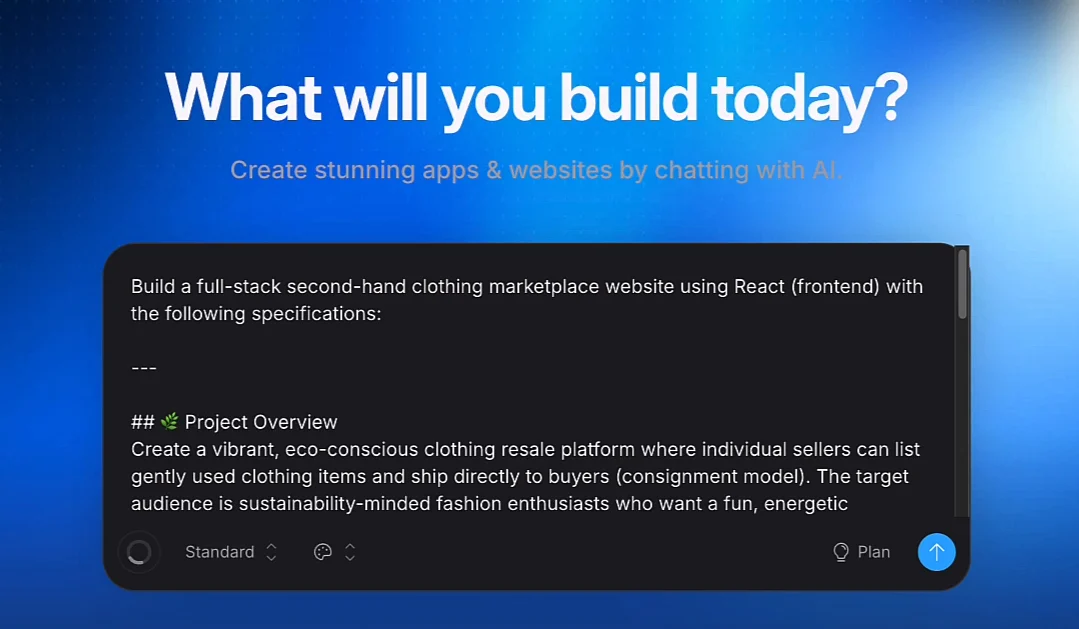
Bolt
Bolt's Enhance prompt asks a few clarifying questions, then rewrites a one-line idea into a detailed spec in the input box for you to edit before sending.
Source: Bolt support ↗
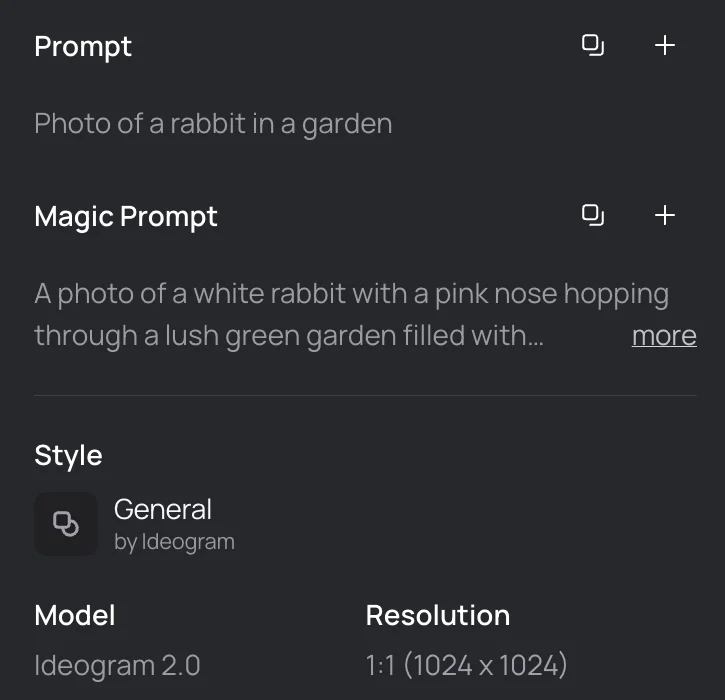
Ideogram
Ideogram's Magic Prompt expands a short prompt into a richer one and shows both versions side by side, so you can see or copy the rewrite.
Source: Ideogram docs ↗
When to use
Products whose users under-specify, especially image, video and research generation.
Seen in
Firefly prompt assist, Midjourney prompt help, Perplexity query rewriting, image tool magic-wand icons.
For engineers
Show the enhanced prompt as editable text and keep the original for comparison and retry.
Build prompt
A neutral, component-only prompt for a coding agent. Edit the stack block or anything else to fit your project, then copy it.
Download this prompt as Markdown, or every prompt as JSON for an agent.
Critique checklist for inputs
0 of 4 checked
These questions apply to every pattern in this family. Ticks are saved in this browser.